programing in Python 1

In this class, students will be introduced to the fundamentals of computer programming. Students will learn to design, code, and test programs while applying mathematical concepts to real-life projects. You will be introduced to coding concepts and problem-solving skills through a programming language (Python), where you will learn: algorithms, variables, data types, operators, conditionals, loops, and functions. Students will come away with a personal project that they will work on that can be added to their portfolios.
Canvas Course Overview
The following is a walkthrough of my Canvas course for Creative Coding. There are twelve units in this course:
-
Unit 1: A Foundation to Computer Science
-
Unit 2: Physical Computing
-
Unit 3: Algorithms and Pseudocode
-
Unit 4: Programming Styles and the IDE
-
Unit 5: Data Types and Variables
-
Unit 6: Inputs and Expressions
-
Unit 7: Conditionals
-
Unit 8: While Loops
-
Unit 9: For Loops
-
Unit 10: Nested Loops
-
Unit 11: Functions
-
Unit 12: Mini Cardboard Box Career Museum
Unit 1: A Foundation to Computer Science was one of the first unit plans I created. This is an important unit because it is the building blocks to which students need to understand the why of being in a coding class.

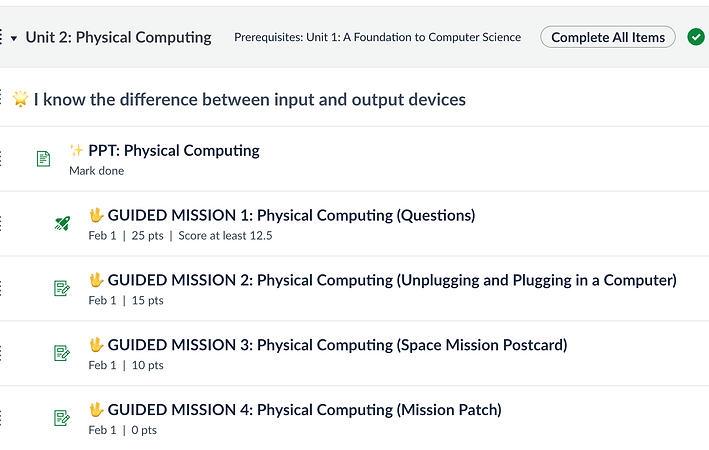
Unit 2: Physical Computing has evolved throughout my teaching career as I have changed what I teach to be different than the Exploring CS course, but still relevant and engaging. Students learn about the basic building blocks of a computer, of what makes a computer a computer: input, processing, and output. I connect this to space missions (real space mission) where students learn about what went into making of the astronauts' space suits and circuits. In addition, students then must learn how to plug a computer and then make mission postcards that are lit up. (Picture coming soon). If they want an extra challenge, students can make mission patches with conductive thread and LED lights.
One year, I was in charge of orientation where I had to teach a programing concept. I taught about input, processing, and output as I made an installation combined with technology. It was based off the Makey-Makey project and adapted so that my students were the ones who decorated the panels. Whenever someone touched the on icon and another gray symbol, music would play. It helped to engage the kids and get them interested in CS.

Due to standard-based grading, which our whole school is required to do, it makes it difficult for us to have exams. In lieu of an exam, I created an escape room in a box that the students can do at their own pace. It covers the following topics: conditionals, variables, and data types.